

Best Free Video Editing Tools : For Beginners & Pros

Whenever we capture a video, it is raw and completely real. But the moment that same video becomes a part of our work whether for professional use, social media, or creative projects it often requires some video editing tools.

You might have noticed that when we record a video or click a photo, unwanted objects or people sometimes appear in the background. Similarly, extra noise, missing details, or the need for special effects can make the raw footage less appealing. This exactly where video editing software becomes essential.

Person editing video on a computer setup with text ‘Free Video Editing Tools’ and a film strip graphic overlay.

These tools help us remove unnecessary elements, improve audio, add transitions and effects, and make our content more polished and engaging. While there are countless paid professional editing tools available online, today we’ll explore 10 free yet high-quality video editing software options that you can actually try out yourself. If you want more advance features or a truly premium finish , you can always upgrade to the paid version of any tool. Many features are common across all editors, but each software still give you a unique experience when you use it.

And it’s not just professionals who need video editing tools-anyone can use them to make their work better and more effective. For example:

1. Filmora Video Editing Tool

Filmora is a video editing software powered with AI
screenshot taken from filmora website home page

Why Filmora?

Filmora is one of the best video editing software tools that works smoothly on Windows Operating and all other operating  operating system.

This software is popular for its advanced yet beginner-friendly features, such as:

  1. Framing & Motion Tracking – to highlight moving subjects with precision.

  2. Color Correction – for adjusting tones and enhancing visuals.

  3. Audio Ducking – to automatically lower background sound when dialogue or important audio plays.

  4. Background Effects – Filmora X makes adding special effects to video backgrounds simple and easy.

  5. Speed Control – allows you to fast forward or slow down specific parts of your video as needed.

All these features make Filmora an excellent choice for both beginners and semi-professionals who want to create polished videos without too much complexity.

Some new features of Filmora

Filmora added some new features which is given below:

  1. AI Video Extender – This powerful Filmora feature extends the duration of recorded videos by intelligently combining existing footage. Even short clips can be smoothly lengthened without affecting video quality.
  2. AI Image to Video – With this impressive feature, a simple static image can be transformed into an engaging animated video clip.
  3. AI Audio to Image – This AI feature automatically generates relevant images by analyzing the audio, making content creation faster and more creative.
  4. Smart Short Clips – Ideal for storytelling, this feature automatically extracts meaningful moments from long videos and allows you to add background music or voice-overs for impactful short content.
  5. AI Video Denoise – This feature removes unwanted background noise from videos, resulting in cleaner and more professional output.
  6. AI Video Enhancer – Using this tool, blurry or low-quality videos are enhanced to improve clarity and visibility.
  7. AI Object Remover – Unwanted objects can be easily erased from videos using simple brush strokes. With AI support, even moving objects can be removed seamlessly.

👉 Click here to download Filmora

Filmora is one of the best video editing software tools that supports Windows 7 and all other versions of Windows operating systems. Filmora video editing software tool is known for some of its advanced features like framing, motion tracking, color correction settings and audio ducking. Video background special effects in Filmora X are simple and easy. It can fast forward and slow down certain parts of the video as per the requirement.

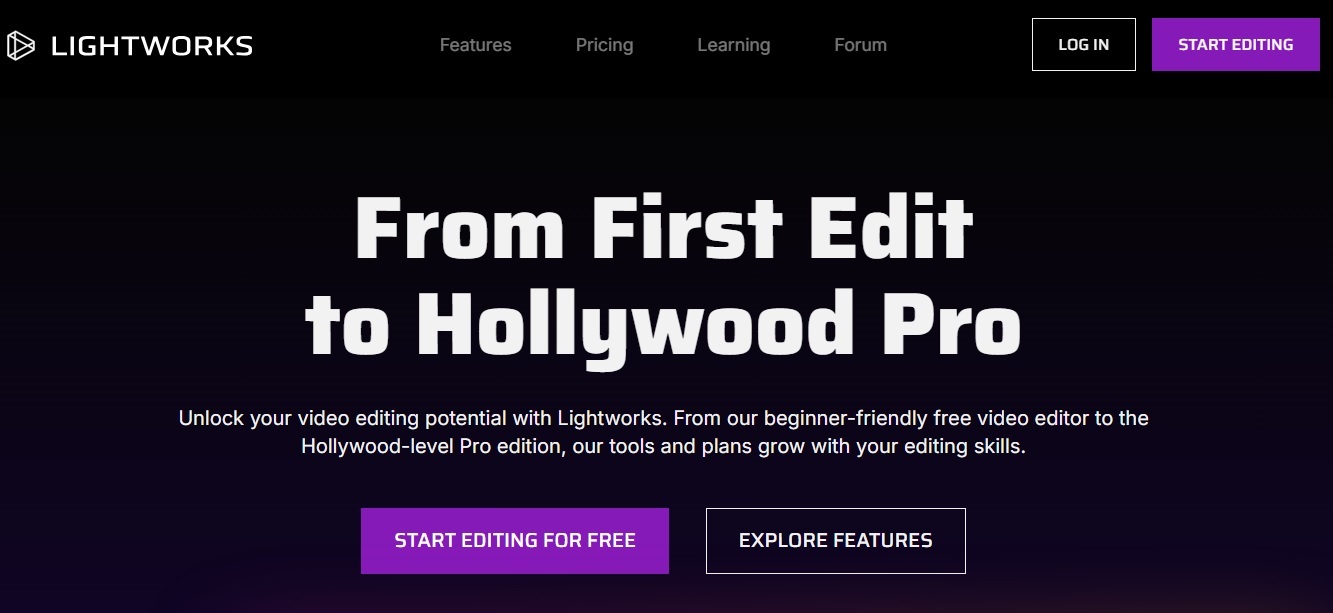
It is light works video editing software website's screenshot
Screenshot of lwks.com (light works)

Lightworks Video Editing Software – Lightworks is a professional-grade video editing program used by filmmakers, YouTubers, and content creators. It offers powerful editing tools, real-time effects, multi-format export options, and a flexible timeline, all within an intuitive interface. With support for high-resolution formats and collaborative workflows, Lightworks makes it easy to produce polished, high-quality videos for any platform.

Light Work (Free Download)

Key Features of Lightworks:

  1. Professional Editing Timeline – Flexible and powerful timeline for precise cutting and trimming.
  2. Real-Time Effects – Apply transitions, color correction, and visual effects with real-time previews.
  3. Multi-Format Support – Edit and export videos in formats including 4K, HD, and more.
  4. Wide Format Import – Supports import of many video and audio formats from various cameras and sources.
  5. Proxy Editing – Smooth editing with low-resolution proxies for large or high-resolution files.
  6. Advanced Color Correction – Professional color grading tools to enhance visuals.
  7. Export Options – Direct export presets for YouTube, Vimeo, and other platforms.
  8. Collaborative Editing – Project sharing for team workflows (in Pro version).

3. Blender

Blender is a free and open source software and is owned by its contributor. It supports 3D pipeline-modelling, rigging, rendering, simulation, motion tracking, etc. This particular software is best for students and new professionals. Blender 3.0 version has been released. Its creator says that Blender is much more than just a 3D tool.

Blender Software Download

4.Short cut

Shotcut is a video editing suite for the Linux platform. It is an open source software for video editing. This video editor is developed by MLT Multimedia Framework, designed and developed for television broadcasting. Some of the features of Shotcut are given below: It supports all formats of audio and video because of FFmpeg. It supports JPEG, PNG, BMP, GIF etc. Audio Capture, Webcam Capture, 4K Support. Frei0r is used as a plug-in for video creation. Color, text, noise and counter generator. Tone mapping HDR to SDR. Audio Audio Scope, Loudness, Peak Meter, Waveform, Spectrum Analyzer. Volume control, audio filters like balance, band pass, compressor, delay, downmix, equalizer, 3-band etc. Audio mixing in all tracks. Fade-in and out and cross fade feature. There are many more features available in Shotcut video editing software, so if you want to taste it then break the link given below to download this software.

Download Shotcut

5. Hitfilm Express

Hitflim Express is a free video editing software with professional VFX tools. It is best suited for beginners, students, freelancers, you tuber and other creators who are looking for free or low budget professional video editing software tools. To download Hitflim Express software simply click on the download link and you will be redirected to Hitflim Express official website for download.

Download Hitflim Express

6. Final Cut Pro: Professional Editing at Lightning Speed

If you’re looking for a high-performance video editing software that’s trusted by professionals and packed with features, Final Cut Pro is a name you can’t ignore. Developed by Apple, this macOS-exclusive editing tool is known for its powerful performance, streamlined interface, and advanced editing capabilities.

Why Choose Final Cut Pro?

  • Blazing Fast Performance: Final Cut Pro is optimized for Apple hardware, especially the M1 and M2 chips, offering ultra-fast rendering, real-time editing, and background processing that keeps your workflow smooth and uninterrupted.

  • Magnetic Timeline: Say goodbye to disorganized timelines! The Magnetic Timeline in Final Cut Pro makes it easy to arrange clips without causing ripple effects, saving editors tons of time and headaches.

  • Multi-Cam Editing: Working with footage from multiple cameras? Final Cut Pro makes it effortless to sync, edit, and switch between angles in real time.

  • Professional-Grade Effects: With built-in effects, transitions, titles, and advanced color grading tools (including HDR support), you get cinematic results without needing extra plugins.

  • 360° Video & HDR Support: Stay ahead of the curve by editing immersive 360-degree content and HDR videos – perfect for YouTubers and content creators pushing the boundaries.

  • Seamless Integration: As an Apple product, Final Cut Pro integrates beautifully with apps like Motion and Compressor, making it easier to create graphics, animations, and export in various formats.

Who Uses Final Cut Pro?

Final Cut Pro is favored by:

  • Professional filmmakers

  • YouTubers and vloggers

  • Wedding and event videographers

  • Content creators looking for pro features with a user-friendly interface

Pricing

Final Cut Pro comes with a one-time payment of $299.99 – no monthly subscriptions! It’s a great long-term investment for serious editors who want to own their software.

Pros:

  • Extremely fast and responsive

  • One-time purchase, no subscription

  • Advanced editing tools and effects

  • Clean and intuitive interface

Cons:

  • Only available on macOS

  • Steeper learning curve for beginners

  • Lacks some collaboration features compared to cloud-based tools

Final Cut Pro is a beast when it comes to high-quality, high-speed editing – especially if you’re in the Apple ecosystem. Whether you’re editing 4K footage, creating a YouTube masterpiece, or producing a short film, Final Cut Pro provides the tools you need to turn your vision into reality.


7. CapCut: Easy, Trendy & Powerful – All in One App

CapCut has taken the digital content world by storm, and for good reason! Whether you’re a beginner learning the ropes or a creator chasing viral trends, CapCut offers a user-friendly, all-in-one editing solution — and the best part? It’s free!

What is CapCut?

CapCut is a free video editing app developed by ByteDance (the company behind TikTok). It’s available on mobile (Android & iOS), desktop, and even has a web version, making it accessible for creators on any device.

Key Features of CapCut

  • Drag-and-Drop Simplicity: No complex timelines here. Just tap, cut, split, and trim like a pro with minimal effort.

  • Trendy Effects & Filters: From retro vibes to cinematic color tones, CapCut gives you instant access to the latest visual trends and transitions.

  • Text & Captions: Add animated text, stylish fonts, and even auto-captions in seconds — perfect for Reels, Shorts, and TikToks.

  • Built-in Music & Sound Effects: Choose from a vast library of royalty-free music and audio effects, so your video sounds as good as it looks.

  • AI-Powered Tools: Background remover, auto-captions, slow motion, face tracking — CapCut is smarter than your average mobile editor.

  • Templates Galore: Use ready-made templates to create trendy edits in a few taps. Just add your clips and watch the magic happen.

Who is CapCut For?

CapCut is ideal for:

  • Social media influencers

  • Beginner editors

  • TikTokers, Reels & Shorts creators

  • Students and hobbyists

  • Anyone who wants to edit quickly without learning complex software

Pricing

CapCut is completely free, with a Pro version available that offers additional cloud storage and some advanced effects. But honestly, the free version is powerful enough for most users.

Pros:

  • Extremely easy to use

  • Available on mobile, desktop, and web

  • Tons of free templates and effects

  • AI tools and auto features save time

Cons:

  • Not as advanced as desktop editors like Final Cut or Premiere Pro

  • Limited custom controls for professional-level editing

  • Some features require internet access

CapCut is perfect for fast, stylish, and social-ready content creation. If you’re looking to make viral videos, boost your online presence, or just have fun editing without a learning curve, CapCut is your new best friend.

Over to You! ❤️

“I really appreciate you taking the time to read this blog. Your thoughts and feedback mean a lot to me, so I’d love to know your opinion in the comments!”
👇 Drop your thoughts in the comments.
📌 Share this post with your tech-loving friends.
🚀 Follow us for more future tech insights.

0 0 votes
Article Rating
Subscribe
Notify of
guest
8 Comments
Oldest
Newest Most Voted
Inline Feedbacks
View all comments
ck999login

CK999login is my go-to! Super simple login process and I've never had any issues. If you're looking for a hassle-free experience, this is it. Give it a shot ck999login

comebet88

Comebet88 has a really solid reputation. Lots of my friends play here, and the feedback is always positive. I recommend giving it a whirl at comebet88

ck999login

CK999login is my go-to! Super simple login process and I've never had any issues. If you're looking for a hassle-free experience, this is it. Give it a shot ck999login

7vvbet

Hey, just tried my luck on 7vvbet! Pretty slick site, honestly. Games load fast and the interface is easy to navigate. Definitely worth checking out if you're looking for some online fun. 7vvbet

zv777game

I've been playing zv777game for a few days now and I'm really enjoying it. A nice mix of classic and modern games, with new ones added frequently it seems. Solid choice! zv777game

ktologin

Anyone having trouble with ktologin? Site looks legit. If you are signing in here is the link: ktologin Hope you get to log in!

rs786gamedownload

RS786gamedownload comes through with its new games. It's great to get a new dose of fun! Fast downloads and good variety, what's not to like? Time to have some fun. If you are ready to try it out, get it here: rs786gamedownload

9kbossgamedownload

9kbossgamedownload offered an incredible download package. The games were fast, the interface looks easy to read with new designs and the customer support is very caring about me. You have to try it and see it for yourself: 9kbossgamedownload

Spread the love
Scroll to Top
8
0
Would love your thoughts, please comment.x
()
x